How to Leverage Your IDE as an AI Quality Variable: A Step-by-Step Guide
Introduction
Your developers' AI tools are only as powerful as the context they receive. When those tools operate within the right Integrated Development Environment (IDE), they gain a head start—a pre-built picture of the codebase that they would otherwise need to piece together from scratch. This means your team's IDE choices belong on your AI agenda, alongside policies around gateway data and LLM decisions. In this guide, you'll learn how to treat your IDE as a critical AI quality variable, closing the loop between tool usage and engineering outcomes. We'll walk through actionable steps to assess, measure, and optimize the context your AI tools receive from your IDE.
What You Need
- An active development team using AI-assisted coding tools (e.g., GitHub Copilot, Tabnine, Codeium)
- Access to your organization's AI gateway metrics (e.g., model routing, rate limiting, cost allocation)
- Visibility into how developers interact with AI (browser/chat, autonomous agents, or IDE plugins)
- A baseline understanding of the DORA 2025 State of AI-Assisted Software Development report's seven capabilities
- Permission to adjust IDE settings and policies across the team
Step-by-Step Guide
Step 1: Recognize Your IDE as an AI Context Provider
The first step is to shift your mindset: your IDE is not just a code editor—it's the primary source of context for AI tools. According to the DORA 2025 report, better context means greater benefits from AI. Context quality depends on who or what creates it and how. Your IDE, when properly configured, can deliver rich, pre-assembled context (e.g., current file, related imports, project structure) that AI tools would otherwise have to infer. Action: Audit which IDEs your team uses and whether they support deep codebase indexing. Popular choices like VS Code, JetBrains IntelliJ, and Eclipse each offer different levels of context extraction. Make sure your team is using the latest version with all relevant AI extensions enabled.
Step 2: Evaluate Your Current AI Gateway Ceiling
AI gateways are now serious management infrastructure components. Gartner projects that by 2028, 70% of software engineering teams building multimodal applications will have them in place. Gateways provide two types of AI management levers:
- In-pipeline controls: Model routing, rate limiting, cost allocation—these give you visibility and guardrails over AI spend, but only after requests are already formed.
- Pre-pipeline policies: Approved model lists, prompting guidelines, training programs—these shape developer behavior, yet a 2024 Stack Overflow survey found 73% of developers weren't sure whether their companies even had an AI policy.
Step 3: Identify the Three Context Creation Modes in Your Team
Context quality varies by how it's created. There are three basic cases:
- Developer-direct: A developer interacts with AI directly through a browser or chat interface. The context is whatever gets pasted—often incomplete or poorly structured.
- Agent-direct: An autonomous agent operates directly on the codebase. It can traverse files but lacks the IDE's integrated view of the current project.
- IDE-embedded: AI runs within the IDE itself, gaining immediate access to open files, compiler messages, and project metadata. This provides the richest context.
Step 4: Measure Context Quality for Each Mode
DORA identifies three technical capabilities that drive performance: a healthy data ecosystem, AI-accessible internal data, and a high-quality internal platform. These directly relate to context quality. To measure it, consider:
- Health of data ecosystem: Is your codebase well-structured with clear dependencies? Do you have good documentation and test coverage?
- AI-accessible internal data: Can the AI tool reach your code repositories, issue trackers, and internal wikis? Or is it limited to public data?
- Internal platform quality: Is your CI/CD pipeline integrated with the IDE? Do you have a consistent build system?
Step 5: Optimize Your IDE Configuration to Enhance Context
Now, take concrete steps to improve the context your IDE provides.
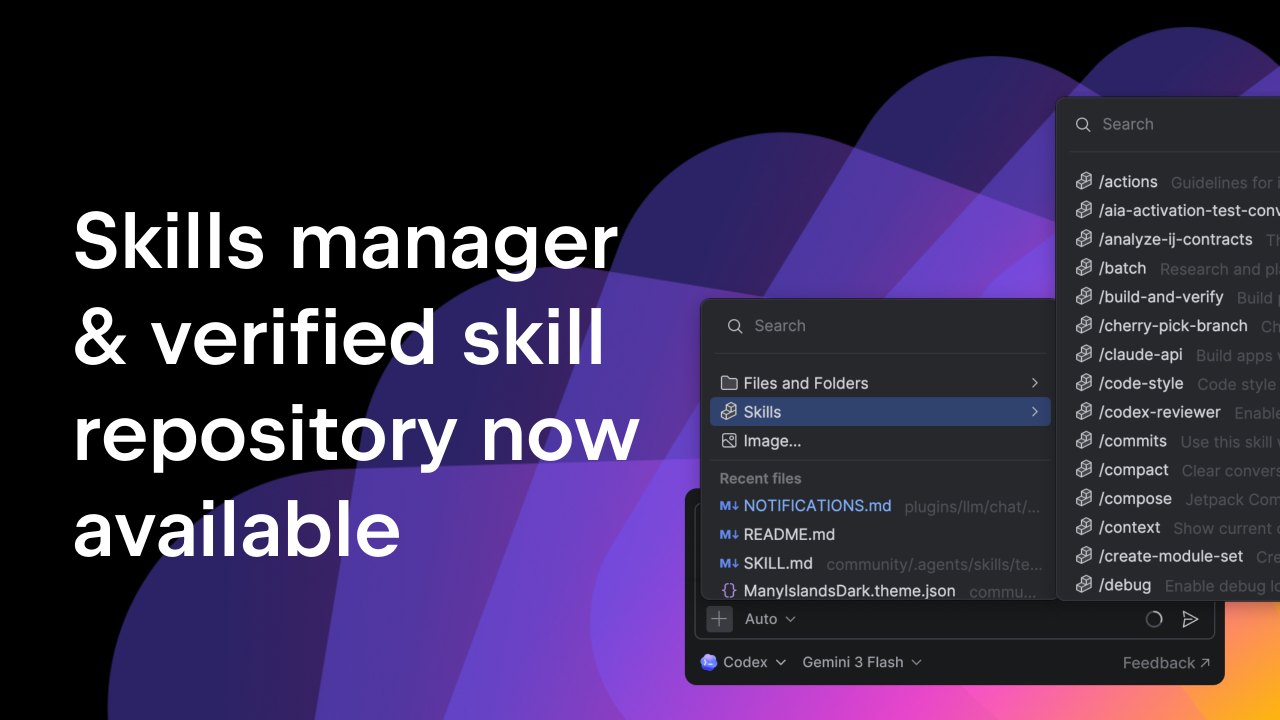
- Enable deep indexing: In VS Code, turn on the GitHub Copilot's "full codebase" indexing. In IntelliJ, ensure the IDE is analyzing all modules.
- Integrate version control: Use IDE plugins that connect to your Git history, so the AI understands recent changes.
- Feed internal documentation: Many IDEs allow adding custom documentation sources or knowledge bases (e.g., Notion, Confluence). Make sure your AI tool can ingest these.
- Set up automated context enrichment: Use scripts or IDE extensions that pre-append relevant test results or error logs to AI requests.
Step 6: Align IDE Policy with Your AI Agenda
Finally, formalize your IDE choices as part of your AI governance. This means adding IDE-related items to your AI agenda alongside gateway policies. For example:
- Include IDE configuration in onboarding materials for new developers.
- Require that all AI-assisted development uses the approved IDE with version-locked plugins.
- Set up monitoring to track which IDEs are being used and whether context quality scores improve.
Tips for Success
- Start small: Pick one team or project to pilot IDE optimization before rolling out company-wide.
- Leverage DORA capabilities: Use the DORA framework as a checklist—it's well-evidenced and easy to communicate.
- Combine with gateways: IDE context is a complement, not a replacement. Keep measuring gateway metrics and pre-pipeline policies.
- Measure outcomes, not just activity: Track developer satisfaction, code quality metrics (e.g., issue rate), and velocity to see if better context translates to results.
- Revisit quarterly: AI tools and IDEs evolve fast. Schedule a quarterly review to reassess context modes and update your policy.
By following these steps, you'll transform your IDE from a simple code editor into a strategic asset for AI quality. The question isn't just whether your AI tools are running—it's what they have to work with. Your IDE is the answer.